Write with a director
Start from a topic or source text. Apple Intelligence is the default, and every generated script and stage object remains editable.
SayTake turns your topic into a natural script and editable visual scenes, keeps the teleprompter close to the camera, and records a ready-to-share presentation—all in one focused Mac studio.
Pre-release · Version 0.1.0 · Planned for supported App Store regions except mainland China
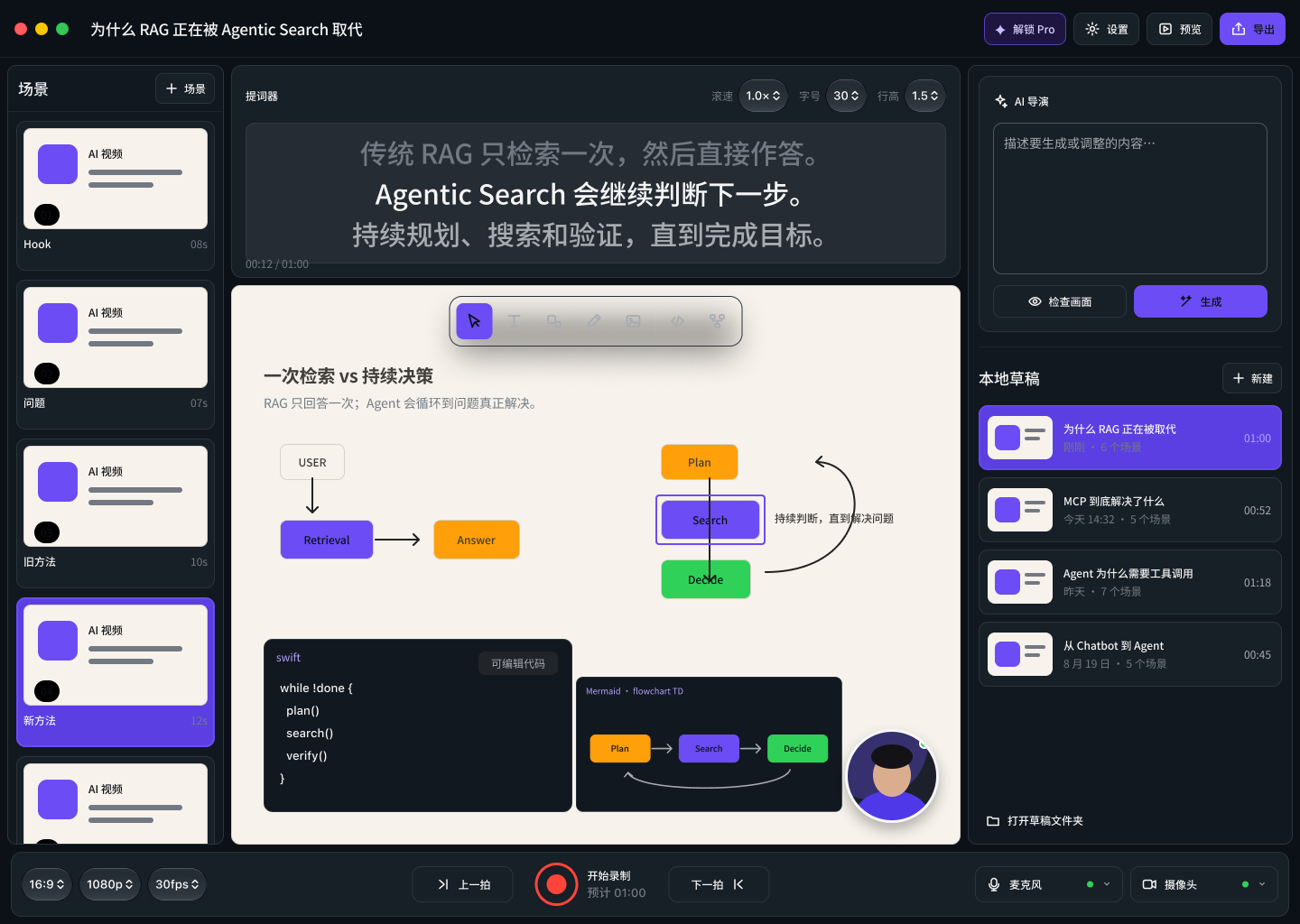
SayTake is not a general whiteboard or a traditional video editor. It focuses on the moment between “I know what I want to say” and “the video is recorded.”
Start from a topic or source text. Apple Intelligence is the default, and every generated script and stage object remains editable.
Mix text, shapes, images, code, and Mermaid diagrams. Keep independent layouts for vertical and horizontal video.
Read a three-line, auto-scrolling teleprompter near the camera while the stage and optional circular presenter view are recorded together.
Retakes create history instead of overwriting your work. Review, adopt, or return to recording without rebuilding the scene.
Deterministic layout checks stay separate from explainable AI suggestions. Nothing is presented as an objective elegance score.
Preview the whole video and export 720p/30fps for free or up to 1080p/60fps with a one-time Pro unlock—without a watermark.
SayTake V1 intentionally targets Apple’s latest native stack. It does not provide an Intel or Rosetta build.
The first release is planned for supported global App Store regions and will not be offered in the mainland China App Store. Manual editing and recording remain usable when Apple Intelligence or Image Playground is unavailable.
SayTake 是面向个人内容创作者的原生、以本地为先的 macOS 视频制作应用。它把主题变成自然口语讲稿和可编辑的演示场景,让你看着靠近摄像头的提词器完成录制,并直接得到可发布的视频。
从主题或素材开始。默认使用 Apple Intelligence;生成的讲稿、文字、图形、代码和 Mermaid 都可继续编辑。
同一场景可混合文字、形状、图片、代码块和 Mermaid,并分别保留 9:16 与 16:9 布局。
三行自动滚动提词器位于摄像头附近;舞台和可选的圆形讲解人画面被同步录制,提词器不会进入成片。
重拍不会覆盖旧素材。你可以回看、采用或继续录制,不必重建场景。
确定性布局事实与可解释、可拒绝的 AI 建议明确区分,不会用单一“优雅分数”包装主观判断。
免费版可无水印导出 720p / 30fps;一次购买 Pro 后最高支持 1080p / 60fps。
需要 M1 或更新的 Apple silicon Mac 与 macOS 26.4 或更高版本,不支持 Intel 或 Rosetta。Apple Intelligence 与 Image Playground 会受设备、系统设置、模型准备状态、语言和地区影响;不可用时仍可手工编辑和录制。首个版本计划在全球受支持地区上架,但不在中国大陆 App Store 提供。